08MicsSports
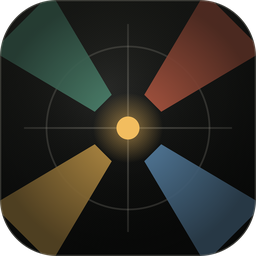
Mic it with real pickup patterns.
Every cone is the mic’s published polar pattern, so you can see what it hears.
9 mic typesParabolic to lavAudio report
Overhead camera plots with real lens fields of view, lights, mics and camera moves — over a ground plan you imported, scanned or pulled from satellite — and a camera report that writes itself.
The real app, start to finish: a project and its setups, a ground plan at true scale, cameras, lenses, lights, mics and cables, then the report and the live link your whole crew works from.
Features · TV drama · Commercials · Music videos
Competition · Game shows · Talk · Docuseries
Tours · Award shows · Theatre · Worship & keynotes
Football · Soccer · Pro, college & high school
Every scene is a setup, grouped by shoot day. Duplicate one to start the next.
An NFL field is 360 ft long, so it measures 360 ft on your plot. Or import a PDF, pull up a map, or draw your own.
Each piece takes its size from the ground plan’s scale. A 3-seat sofa is 7 ft wide on the plot.
Hosts, contestants, crew and whole audiences, easy to read at a glance.
Cinema and broadcast bodies with their real sensor sizes, and the lenses that go on them.
Ped, jib, rail, Steadicam, sky cam, PTZ, POV and more.
The cone and the frame show the shot you’ll get, so you rent the right glass.
Every cone is the mic’s published polar pattern, so you can see what it hears.
Each light shows its colour balance, its spot or flood angle, and its throw on the ground.
Bounce or repeat, at the speed you choose. Cameras keep their framing as they move.
Hide, lock or fade a whole layer in one tap.
Lengths come off the plot, with the stock pieces to pull and a check that every run is within reach.
Add your crew by name. They see every change as you make it. No reprinting, no resending PDFs.
Model, rig, colour and operator come from your roster.
It totals what your plots use, and warns you when you’re using more than you have.
Built from the plot and laid out to print. Nobody copies it down by hand again.
Plots, reports and the inventory, ready to print or send.
A key for every tool, and you can set your own.
The rest of what CamPlot Creator does, from the small tools on the plot to the paperwork.
CamPlot Creator is an overhead camera plot app for directors, DPs, technical directors and camera crews. You place cameras, subjects, lights and mics on a to-scale ground plan; every camera shows the real field of view of its body, sensor window and lens; and the plot becomes a camera report and a live link the whole crew can open. It runs in any browser and as a native app on iPhone, iPad and Mac.
Multicam shoots most of all — unscripted and reality TV, competition and talk shows, concerts, award shows, live events, sports broadcasts and newsrooms — and scripted film and series, where the same page is the lighting diagram too.
Building and sharing plots takes CamPlot Max: $49.99 a year or $4.99 a month, with a free trial. Anyone you share a plot with opens it free with CamPlot Crew. CamPlot Max also includes the CamPlot Director’s Viewfinder and the CamPlot Calculators, and Enterprise seats are sold per seat for teams.
Yes, in the browser: CamPlot Creator runs in Chrome or Edge on Windows, on Chromebooks and on Android, and installs as an app from the browser. Native apps for iPhone, iPad and Mac are on the App Store.
Yes. Everything is on the device, so you can plot on a stage with no signal; it syncs when you are back online and merges what changed while you were away.
Shot Designer is built around scripted blocking with animated actors, and Cadrage Studio is an Apple-only scripted pre-production suite. CamPlot is built for multicam: coverage from each real camera, ground plans from a PDF, a LiDAR scan or the satellite map, lights and mics with their own reports, and a live crew link. Side by side: CamPlot vs Shot Designer, CamPlot vs Cadrage, and the best camera plot apps of 2026.
CamPlot Max is the plot tool — and it carries the Director’s Viewfinder and the Calculators with it. Anyone you share a plot with can open it for nothing, forever.
Built by a working director and used on network television productions. Open it in a browser — there is nothing to install.