CamPlot Creator app icon
CamPlotCreator
For sports broadcast · pro, college & high school

Camera plans for game day

Every hard camera, handheld, cart, cable cam and POV on one to-scale plan of your venue — with the real angle of every box lens, and a report the crew, the truck and the network can read.

No install neededStart plotting in your browser Or get it for Get it for iPhone & iPad → Get it for Mac → Get it for PC → Get it for Android →
Free to start · Your crew views for free · Team seats for broadcast departments
Sony HDC-3500 · 5500Canon UJ · Fujinon UA box lensesGrass Valley LDXPanasonic AW-UE150Sky CamChapman cartsPylon POVs
The tour · 2:58

Every feature, in three minutes

The real app, start to finish: a project and its setups, a ground plan at true scale, cameras, lenses, lights, mics and cables, then the report and the live link your whole crew works from.
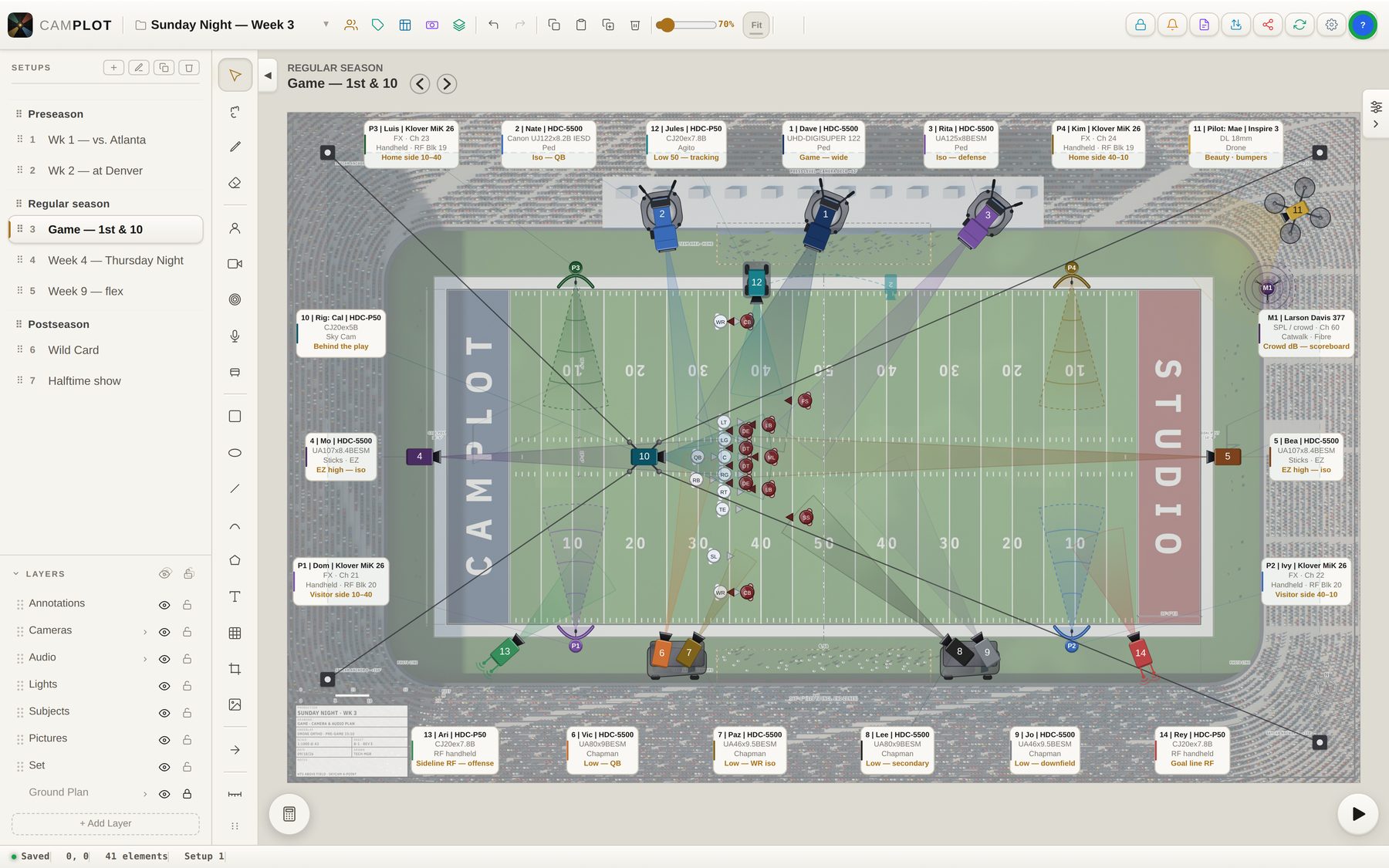
A fourteen-camera football plot in CamPlot on the Mac: three hard cameras on the press-level deck, end-zone cameras, two Chapman carts with two cameras each, RF handhelds, an Agito, a Sky Cam and a drone, every cone the real angle of its lens, and the season’s setups listed on the left
Mac · Sunday Night, Week 3 — 14 cameras, 5 mics
Built for the stadium

The plot your truck, your network and your crew all read

CamPlot starts from the camera chain: pick the body, type the lens the way it is written on the barrel, and the cone on the page is the angle that glass actually sees from that position.

Box lenses

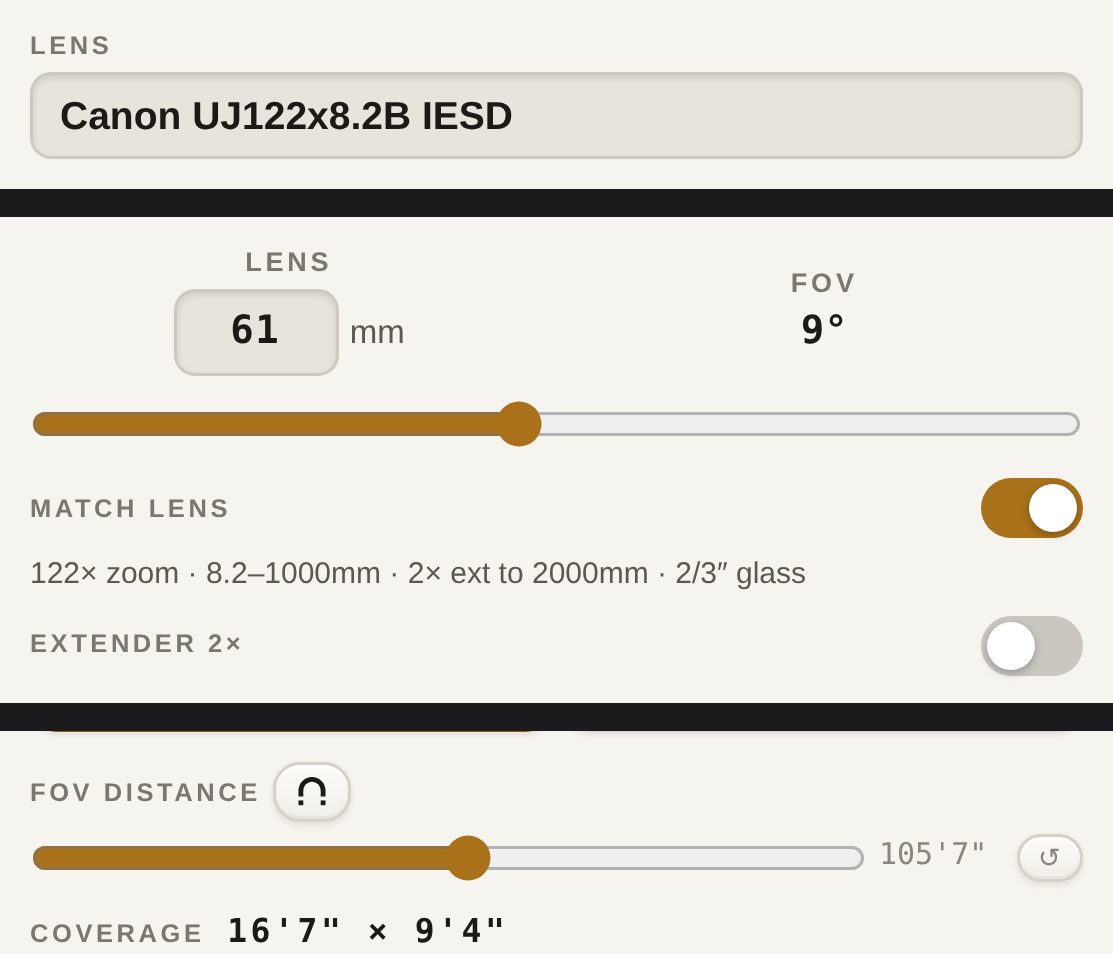
Type UJ122x8.2B. See the real angle.

Broadcast glass is read the way crews write it — ratio × wide, model codes and Canon’s names alike. The range, the built-in extender and the 2/3″ format come off the name, and the cone is drawn from the chain’s own sensor.

  • UJ122x8.2B, UA107x8.4BESM, 86x9.3, UHD-DIGISUPER 122 — all read to their published range
  • The 2× extender as a switch: throw it and the focal and the image circle double
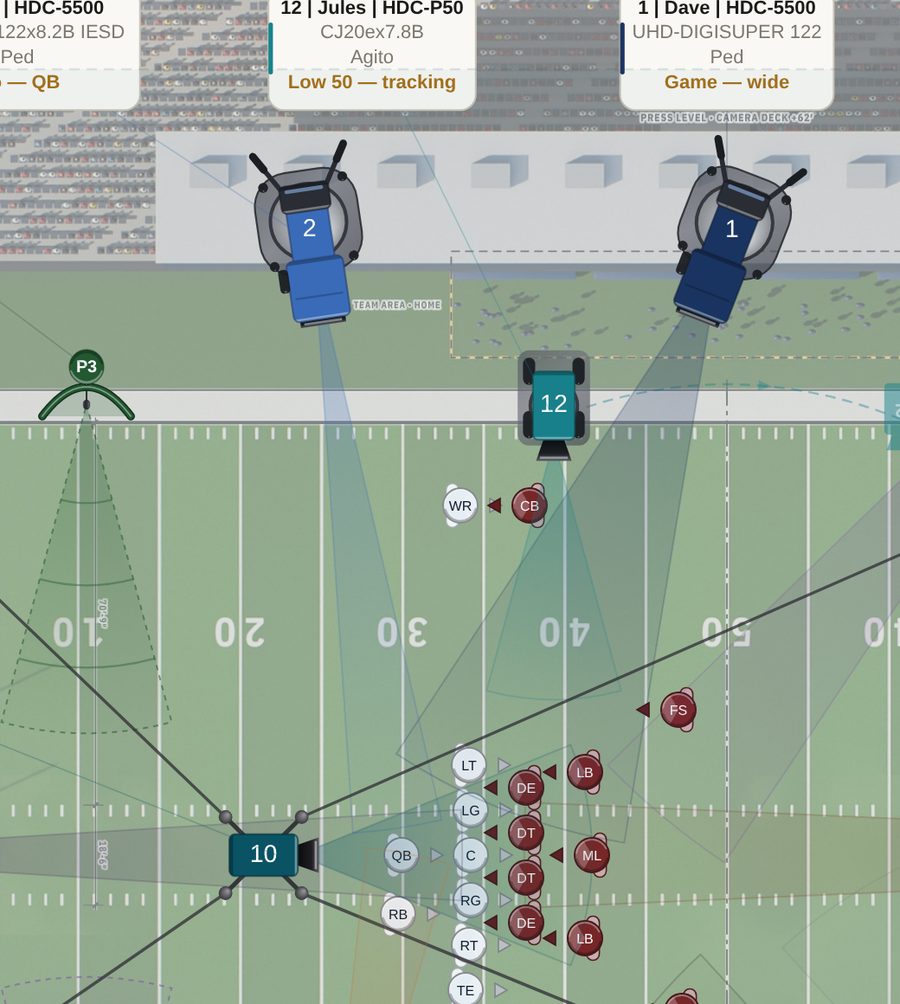
  • Coverage in feet at any distance — 16′7″ wide at 105 ft from the camera deck
  • Frames that fill the 2/3″ window of an HDC, LDX or URSA Broadcast G2
Camera 2 on the press-level deck, its cone reaching the quarterback
Cam 2 · Iso QB · 61 mm
The camera panel: Canon UJ122x8.2B IESD in the lens field, 61 mm and 9 degrees, 122x zoom 8.2 to 1000 mm with a 2x extender to 2000 mm on 2/3 inch glass, and a coverage of 16 feet 7 by 9 feet 4 at 105 feet 7
The camera panel · Match Lens on
Rigs

Ped, cart, cable cam, POV. To scale.

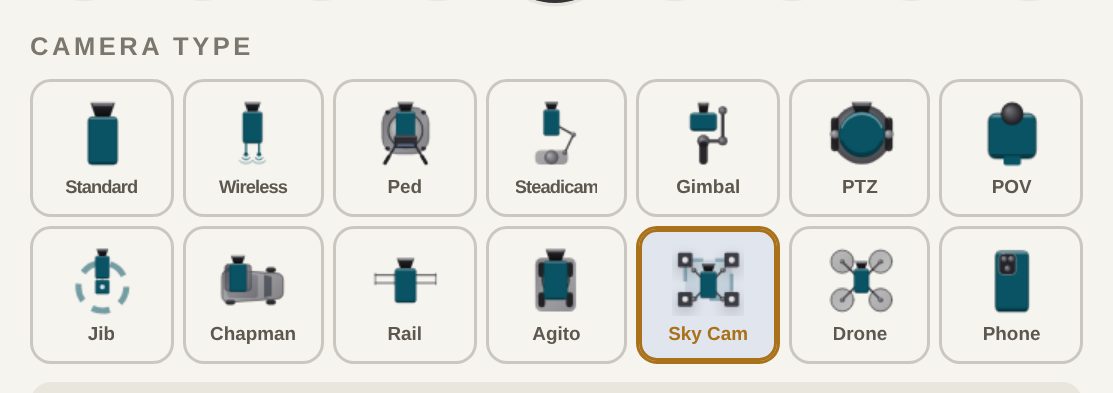
Fourteen camera types, each drawn as the rig it is: the hard cams on the deck, two cameras riding one Chapman cart, the Sky Cam and its anchors, the Agito on its track, the drone over the bowl.

  • Two cameras on one cart — each with its own tag, lens and shot, counted once in the totals
  • Sky Cam anchors and the area the rig can reach
  • Rails and Agito tracks at their real length, jibs with their arc
  • Tag, colour and label every camera with operator, body, lens, support and shot
The fourteen camera types in the camera panel
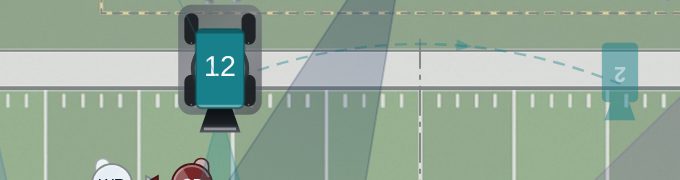
Two Chapman carts on the visiting sideline, two cameras on each
Two cameras, one Chapman cart
An Agito tracking the home sideline
Agito · low 50 tracking
Stadium

Your stadium, to scale. All season.

Import the venue drawing as a PDF or an image, pull the bowl from a satellite map, or scan a room with LiDAR. Set the scale once, and every camera, cable run and platform measures in real feet.

  • PDF, image, satellite map or LiDAR — or draw it by hand
  • One plan, every setup — place the stadium once and every game plots on it
  • Camera platforms and set pieces from a library of 477, drawn to scale
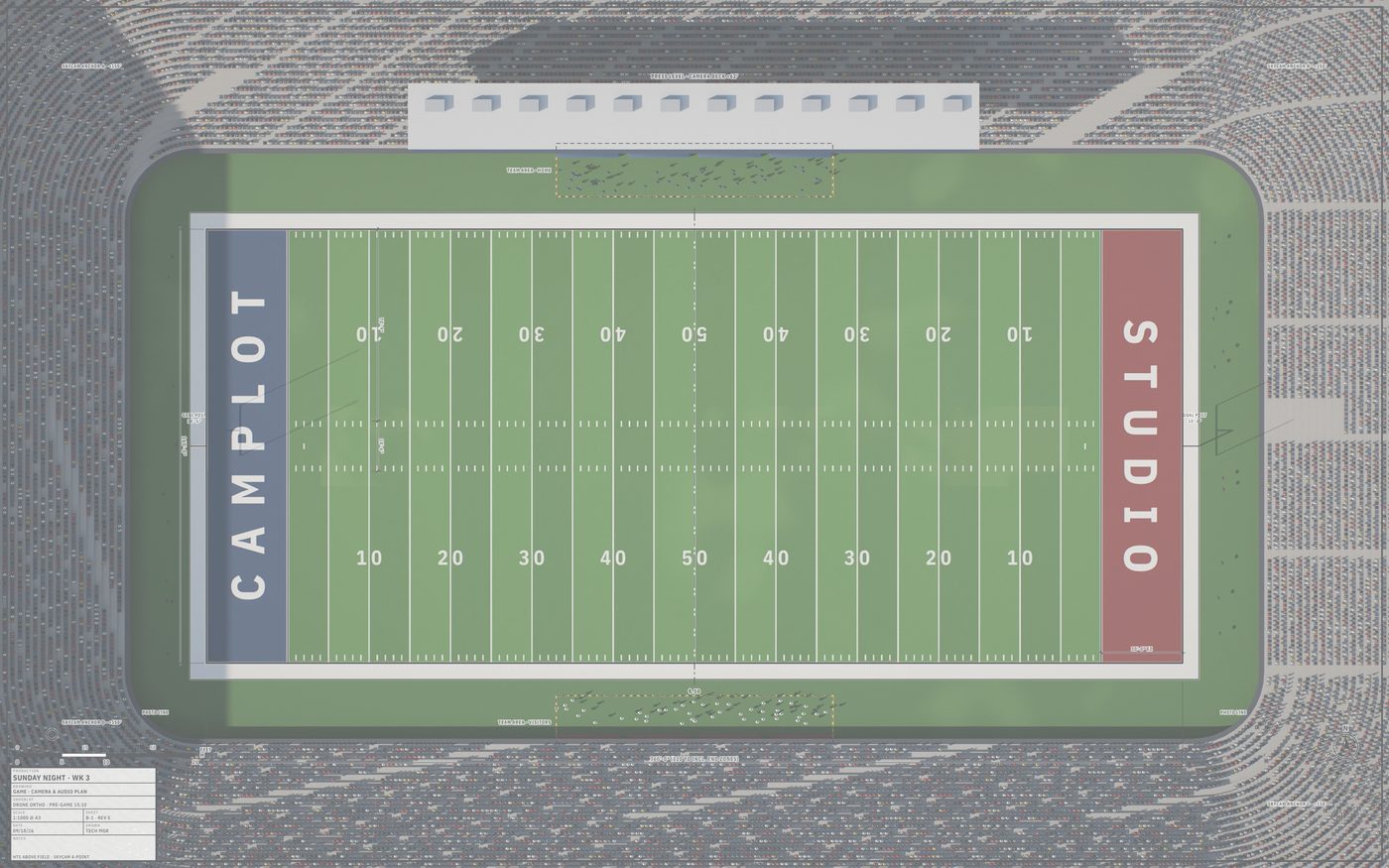
A stadium drone plan with its CAD drawing under the plot
The Ground Plan panel: Edit Scale Reference, and add a ground plan by Draw, Import, Map or Scan Room
Season

One venue. Every game saved.

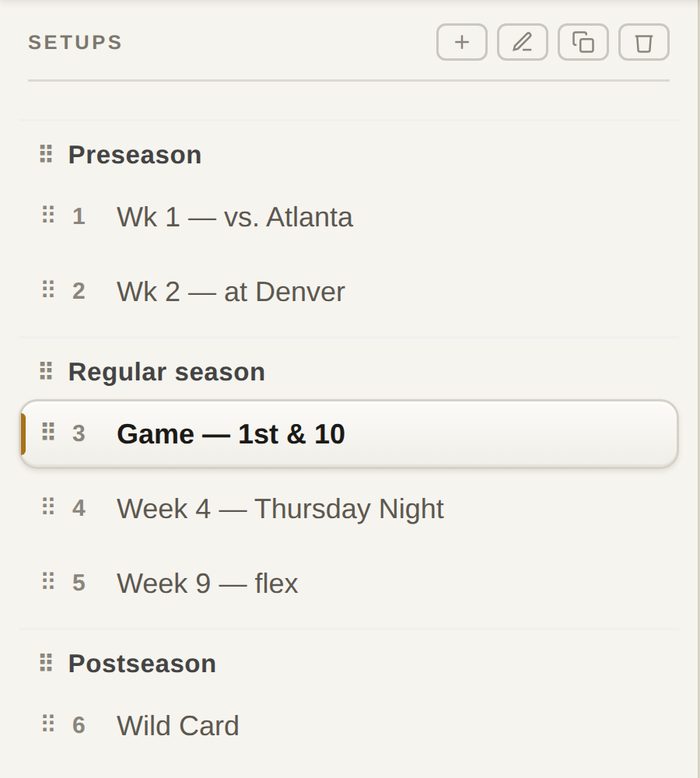
A setup for every game — preseason, regular season, the playoffs, the halftime show — grouped in one project that shares the stadium, the crew roster and the gear list.

  • Duplicate last week’s plan and change what changed
  • Group setups by season, flight or event and drag them into order
  • The inventory counts across every setup — what you need at peak, what is spare
The Setups list: Preseason, Regular season and Postseason groups with seven games
The same project open on the Mac
Reports

A report for every operator.

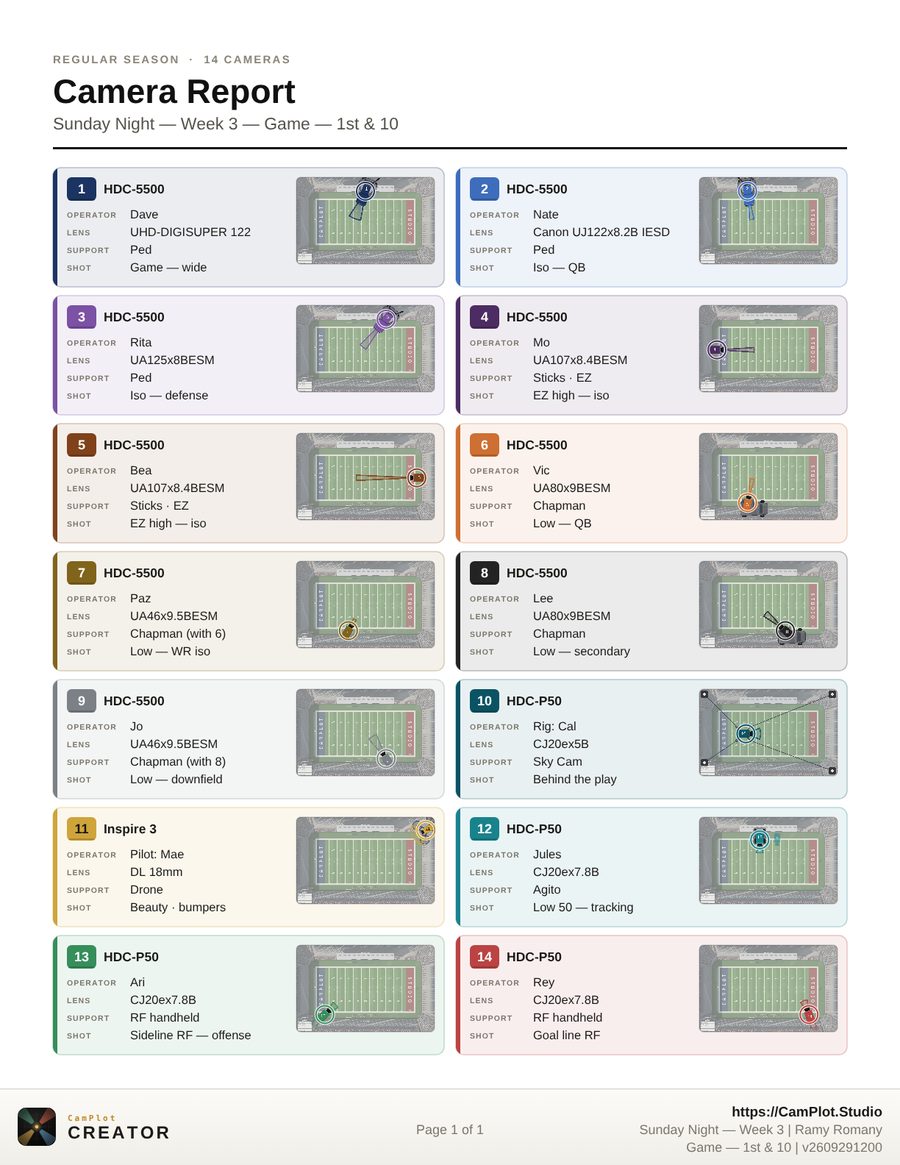
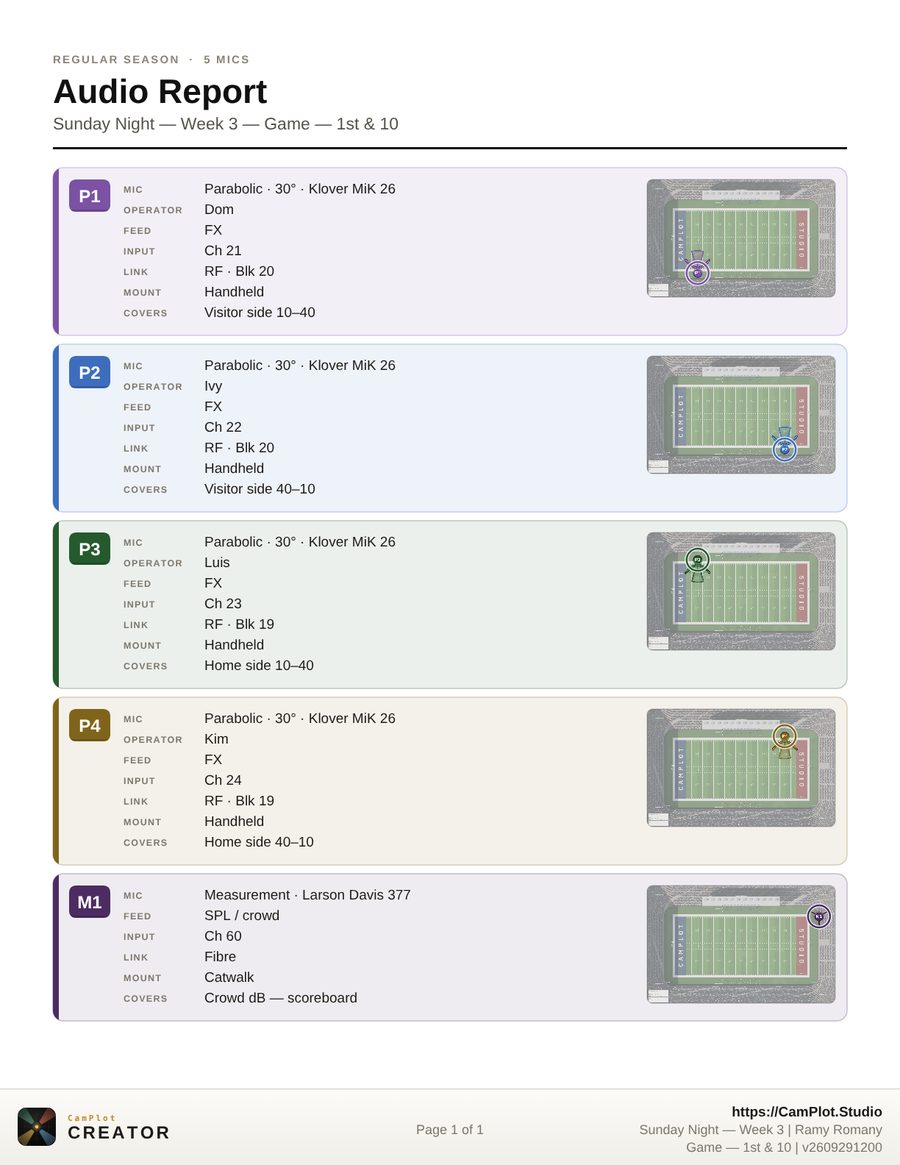
Camera, lens, support, operator and shot for every position, each card in the camera’s own colour with a map of where it sits. The audio report lists every effects mic in input order.

  • Fourteen cameras on one US Letter page — it tightens to fit
  • Camera, lighting and audio reports, and the plot itself as a titled PDF
  • Every page carries the project, who exported it and the version
The printed Camera Report: all fourteen cameras on one pageThe printed Audio Report: parabolic dishes and the crowd measurement mic
For broadcast departments

One plan for the department, not one file per person

Club and stadium engineering, college broadcast operations, the production company that shoots your games — everyone plots in one place and sees the same version.

CamPlot Max
$49.99/yr
or $4.99/month · free trial included
  • Create and share your own plots — web, iPhone, iPad and Mac
  • Lens-accurate coverage, 14 camera types, movement, jib and dolly
  • Ground plans: import, LiDAR scan, satellite and draw
  • Live crew sharing, camera and audio reports, the gear list
  • The Director’s Viewfinder and the Calculators included
Start in your browser
For one person
CamPlot Enterprise
Per seat, billed yearly
CamPlot Max for the whole department, by card or invoice
  • One portal to add and remove people — every seat is the full CamPlot Max
  • Download or share any member’s project; a shared library of logos and objects
  • Managers with the permissions you choose, and an activity log of every change
  • A dedicated support line that reaches a person: enterprise@camplot.studio
Create an enterprise account Talk to us first
Nothing is charged until we approve the order

Anyone you share a plot with opens it free with CamPlot Crew — the operators, the truck, the network partner.

CamPlot Creator

Plot the next game
in minutes, not hours.

Built by a working director and used on network television productions. Open it in a browser — there is nothing to install.

No install neededOpen CamPlot Creator in your browser iPhone & iPad → Mac → PC → Android → Everything Creator does →