CamPlot Calculators app icon
CamPlotCalculators
Free in your browser · no sign-up

The five numbers a camera department runs on.

Depth of field you can see rather than read, recording time on the actual card, four exposure dials that balance each other like a real camera, every sensor drawn to scale, and where the sun and moon will be when you get there.

Download on theApp Store Use them free in your browser ↓
In your browser on any computer or iPad · On iPhone, works with no signal
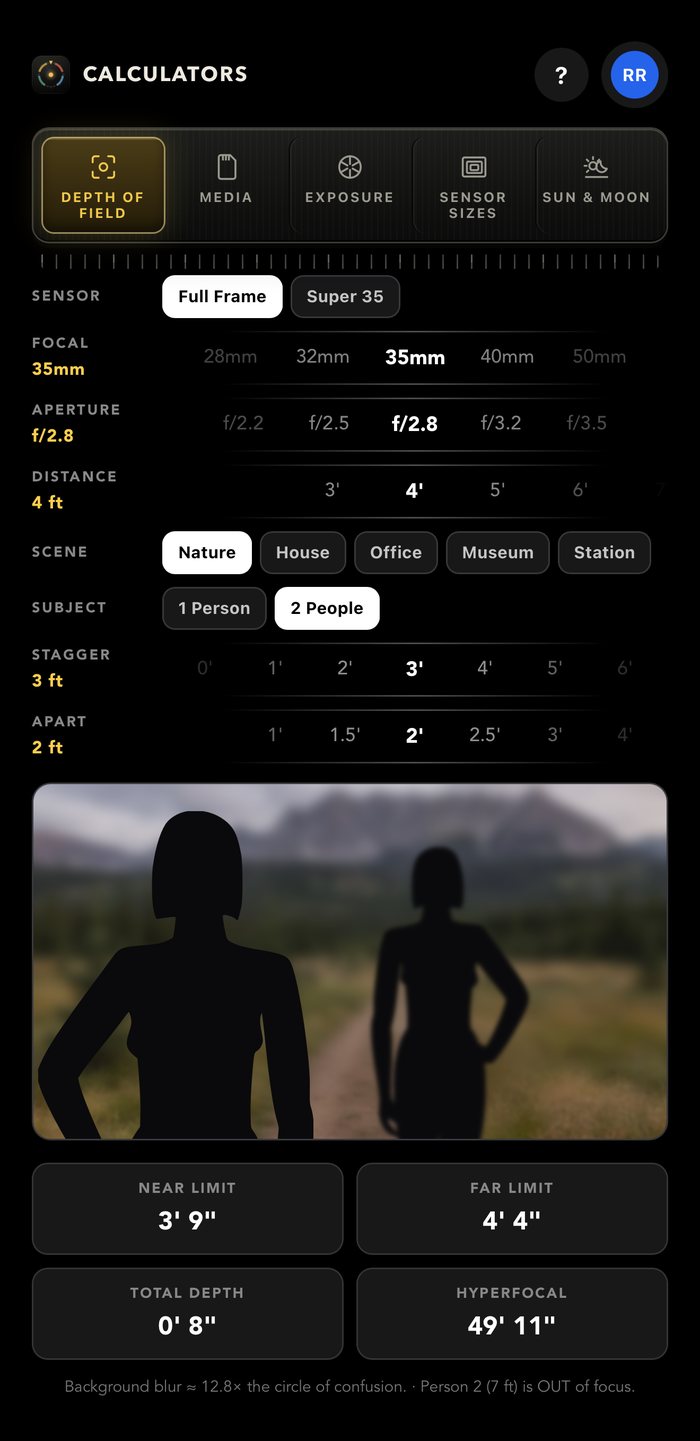
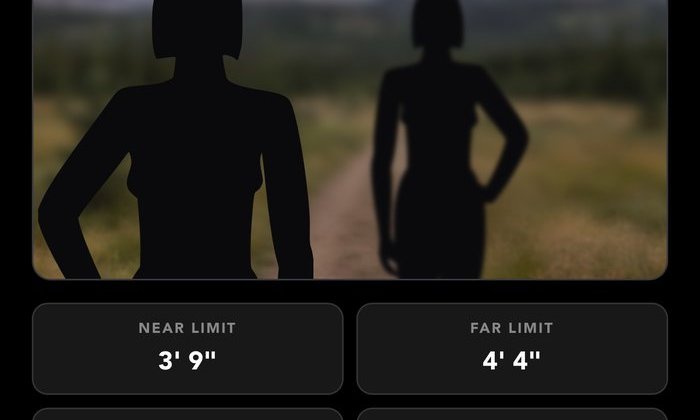
The depth of field calculator — a real photograph of two figures on a trail, the second one three feet behind and clearly out of focus, with near, far, total and hyperfocal read out beneath
Depth of field · full frame, 35mm, f/2.8, subject at 4′ · second person 3′ behind, out of focus
5
Tools
57
Cameras in Media
246
Recording formats
$0
In your browser
Free in your browser

Open a calculator

Every tool works right here, on a computer, an iPad or a phone — no account, nothing to install.

Five tools, one rail

Built the way a cinematographer thinks

Not spreadsheet rows with a Calculate button. Every tool is a set of dials and rollers you turn, and the answer moves while you turn them — so you can feel the trade rather than solve for it.

Depth of field

See the fall-off, not just the figure

Pick a scene, roll focal length, aperture and distance, and watch the depth actually change in a photograph — near ground, subject and far wall each defocusing by their own distance, the way a lens does it.

  • Near, far, total and hyperfocal on screen at all times
  • Add a second person staggered behind the first and watch them drop out of focus
  • Pinch the frame to reframe and the focal length rolls with you
  • Full frame or Super 35, five locations, and a figure drawn at true height
Open the depth of field calculator →
Depth of field — a subject sharp on a trail and a second figure three feet behind falling soft, with near, far, total and hyperfocal beneath
Media

How many hours fit on that card

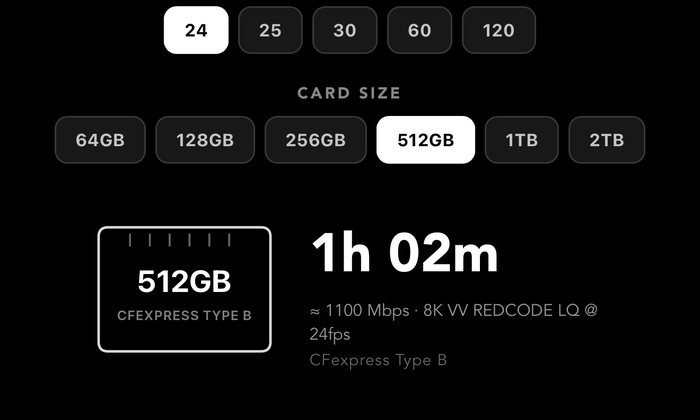
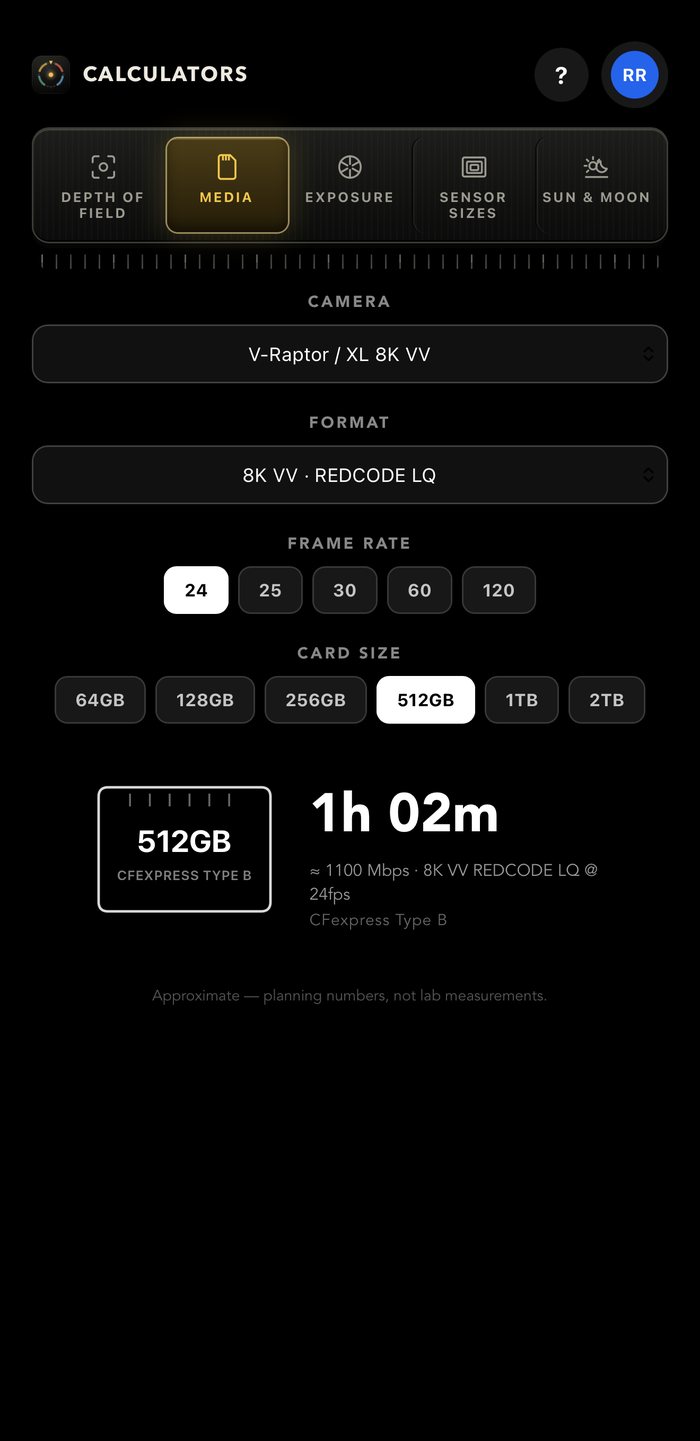
Forty-seven real cameras with their actual recording formats and data rates — ARRI, Sony, RED, Canon, DJI and GoPro. Pick the format, the frame rate and the card, and read the answer off a drawing of the card itself.

  • 182 recording formats, from ARRIRAW open gate to a GoPro at 1080
  • Frame rate is part of the sum — a scaling codec at 60 costs what it really costs
  • The card is drawn as its own type: CFexpress, SD, CFast, AXS, Codex, SSD
  • Runtime and the working bitrate, together
Open the recording time calculator →
The media calculator — a RED V-Raptor at 8K VV REDCODE LQ on a 512GB CFexpress card, reading one hour and two minutes
Exposure

Four dials that balance each other

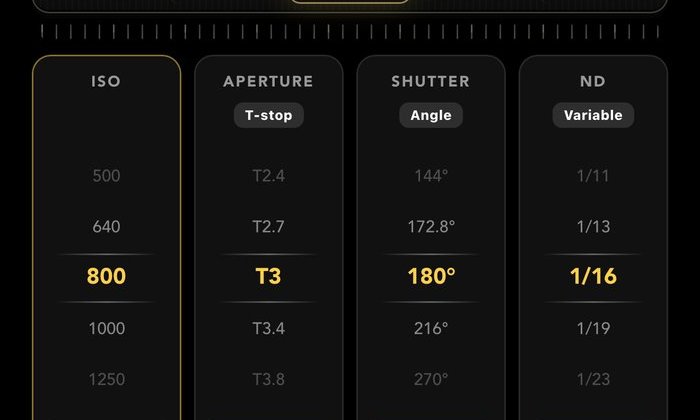
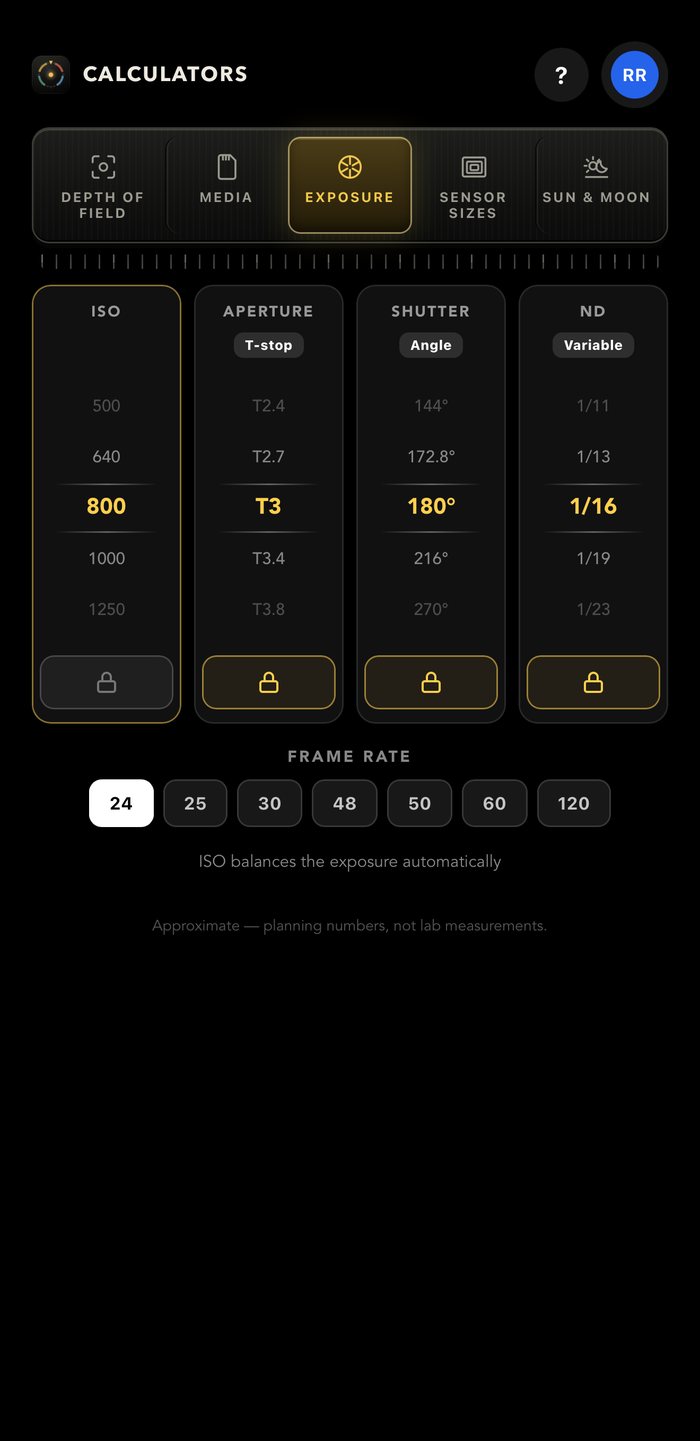
ISO, aperture, shutter and ND, standing side by side as gear columns. Lock what is fixed, roll what you are changing, and the free dial travels to the value that holds the exposure — in third-stops, on real ladders.

  • f-stop or T-stop, paired the way lens barrels are actually marked
  • Shutter angle or speed, with the project frame rate in the sum
  • ND as variable fractions, hard filters or stops — whichever your kit is labelled in
  • Lock more than one and it tells you what it cannot do, rather than guessing
Open the ND & exposure calculator →
The exposure calculator — ISO 800, T3, 180 degrees and a 1/16 variable ND standing as four gear columns, three of them locked
Sun & Moon

Where the light will be, before you get there

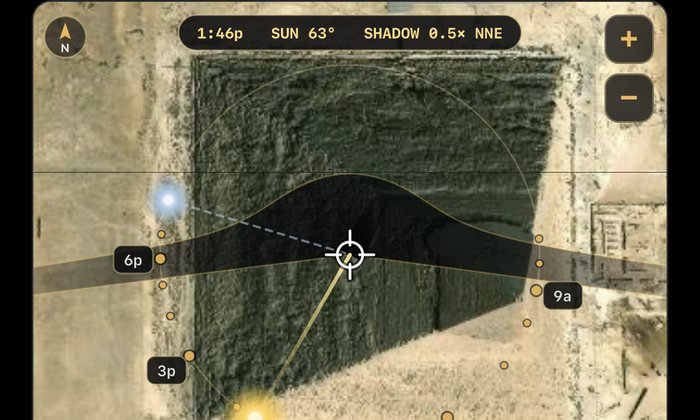
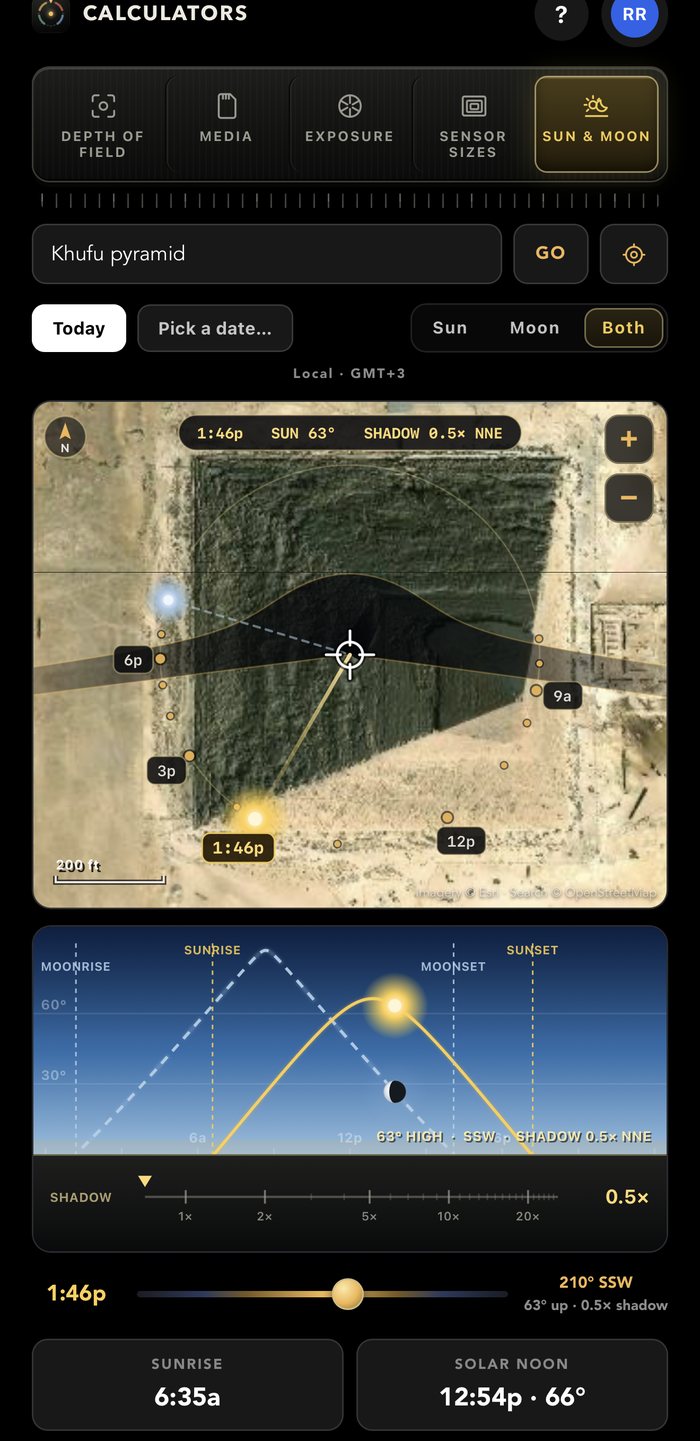
Drop the crosshair on the location and the map shows the ground your subject shades across the whole day, with the hour ring reading where the sun is — not where its shadow lands. Then scrub the day in section and watch the altitude, the sky and the shadow move together.

  • A shadow ruler in multiples — 5× means a six-foot stand lays down thirty feet
  • Golden and blue hour both ends of the day, with sunrise, solar noon and sunset
  • The moon too, with its phase and its own rise and set — and it only claims a shadow when it is actually high and bright enough to cast one
  • Times belong to the location, not to your phone, and it works with no signal
  • Save the whole scout as a card straight into your photo library
Open the golden hour calculator →
The Sun and Moon calculator over the Khufu pyramid — the day's shadow sweep on satellite imagery above a section view carrying both the sun's arc and the moon's, with moonrise and moonset marked
Sensor sizes

Settle the crop-factor argument with a picture

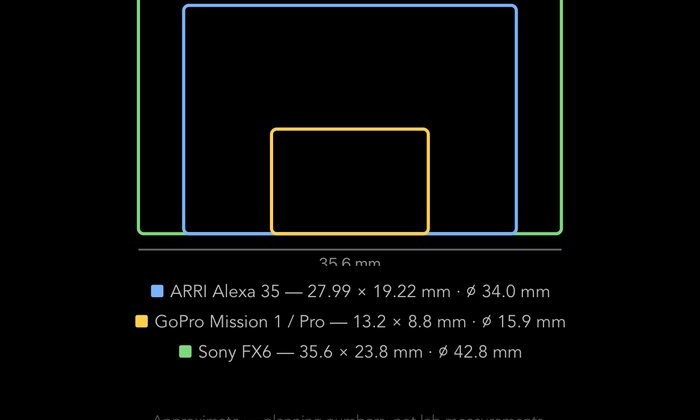
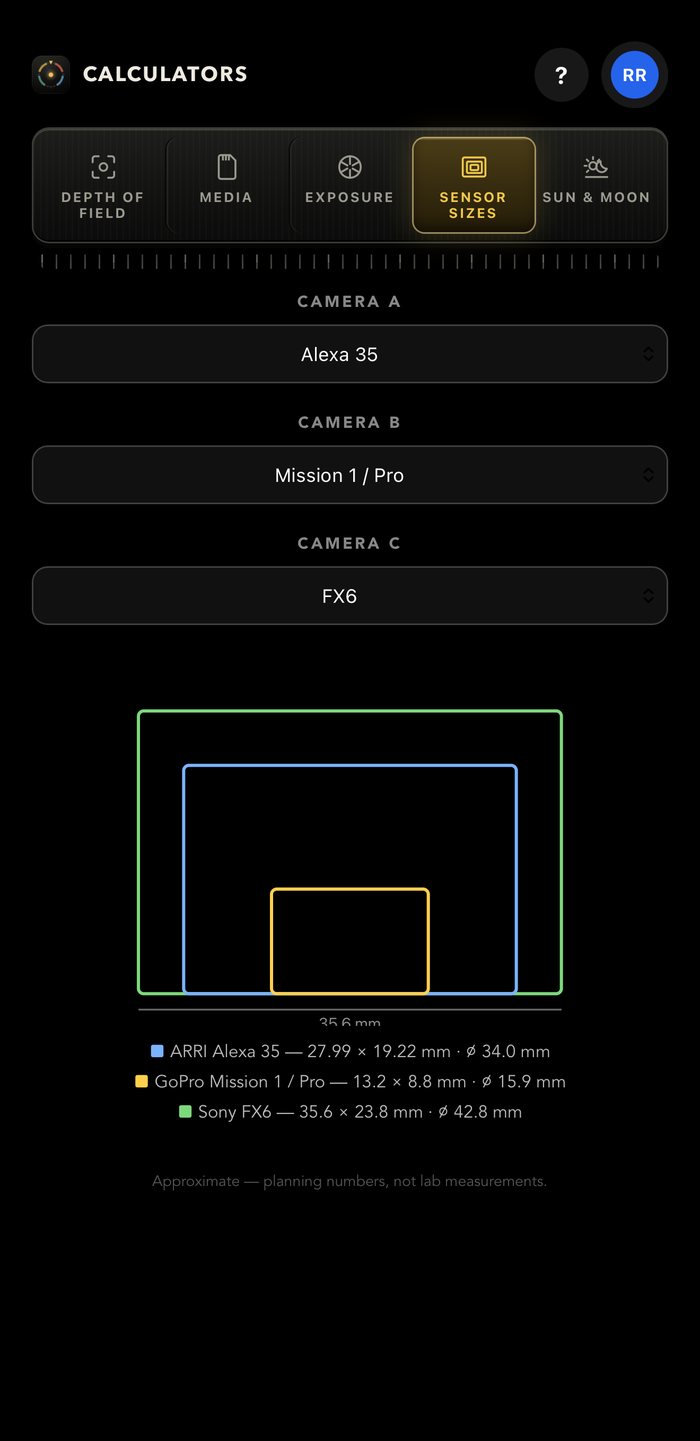
Put any two or three sensors on top of each other, drawn to scale and dimensioned, from a GoPro to an Alexa 65. Nobody has to take anybody's word for what a crop factor means.

  • 47 sensors, grouped by brand, with width, height and diagonal in millimetres
  • Including the phone in your hand, so you can see what it really is
  • Nested and bottom-aligned, with a ruler on the largest
Open the sensor size comparison →
The sensor size chart — an ARRI Alexa 35, a GoPro Mission 1 and a Sony FX6 drawn nested to scale with their width, height and diagonal in millimetres
On the day

Made for a location, not a desk

No signal needed

Every calculation runs on the device. Even the time zones are on board, so the sun times are right in a canyon with no bars.

It remembers

Close it mid-thought and it comes back on the same tool with the same camera, the same stop and the same location.

Your units

Feet and inches or metres, throughout — including the shadow lengths and the depth-of-field limits.

Room on a Mac or iPad

On a phone, one milled rail and a sideways swipe. On a big screen the rail moves to the side and each tool opens up — a focus ruler, every card at every frame rate, the numbers behind the dials.

Also in the other two apps

The same five tools are in CamPlot Creator and the Director’s Viewfinder, so you are never in the wrong app for the number you need.

Honest about approximation

Where a figure is a planning number rather than a lab measurement, it says so on screen.

Pricing

Free in your browser. Free in the app.

All five tools are open on this site — no account, nothing to install. In the iPhone app they are free with any CamPlot account, including CamPlot Crew, which is free forever. There is no upgrade to reach for.

$0

In the app, sign in with a free CamPlot Crew account and every dial is live. Signed out, the app runs as a locked demo so you can see the whole thing first. In your browser, every dial is live already.

CamPlot Plus
$29.99/yr

Adds the full Director’s Viewfinder, private markup and PDF export on plots shared with you.

CamPlot Max
$49.99/yr

Everything in CamPlot Plus, plus building and sharing your own multicam plots in CamPlot Creator.

From the same studio

When the numbers are done

CamPlot Calculators

Five tools. Free.
On the phone in your pocket.

Built by a working director, and used on network television productions.

Download on theApp Store See all three apps →